Quick 2026 update: this feature launched in July 2021 and is still live today. One thing worth watching though. In November 2025, Google said they’re phasing out search features that people don’t use much. The “About this result” box wasn’t on the list, but it’s always been tucked away behind a menu. Our read: the factors below still reflect how Google thinks about ranking. Even if the feature itself eventually goes away. Worth checking in every few months.
Back in February 2021, Google rolled out the “About this result” feature on mobile search results. It looks like this and gives the user basic information about any given search result:
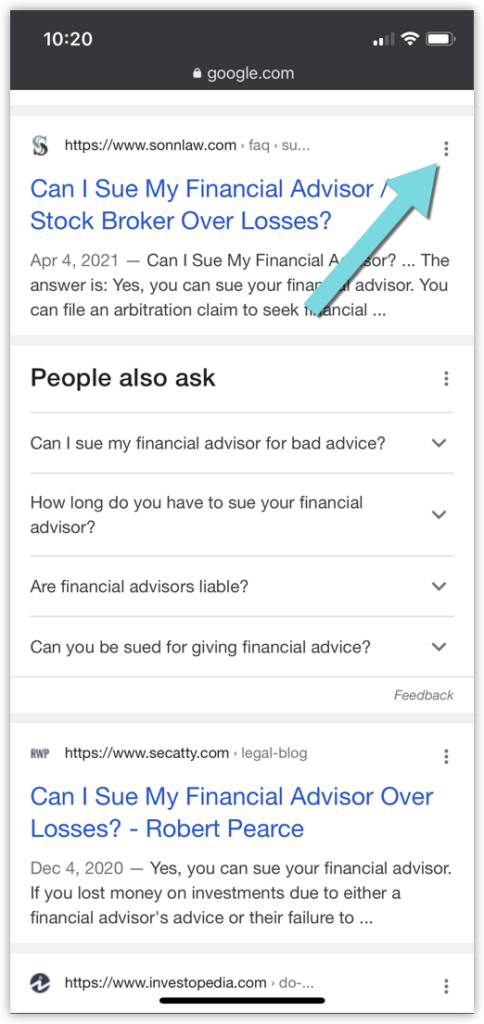
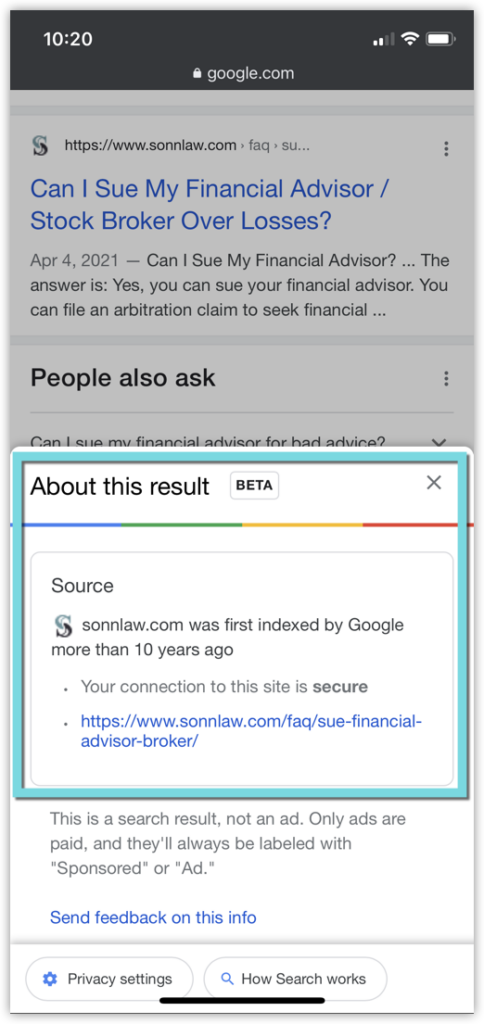
Quick refresher on how to pull this up: tap the three dots next to any Google result on your phone, or click the three-dot menu on a computer. The “About this result” box opens, and you scroll down to find the “Your search & this result” section. It started on mobile only back in 2021, but now it’s on desktop too, so you can check from either one. That section is what Google recently expanded.
As of a few days ago Google has expanded this feature to include information as to why a given webpage ranks for the query. This new feature is denoted with the “Your search & this result” heading.
Here is an example of this feature triggered by a legal-relevant query, that our very own Ashton Goad found in the wild:
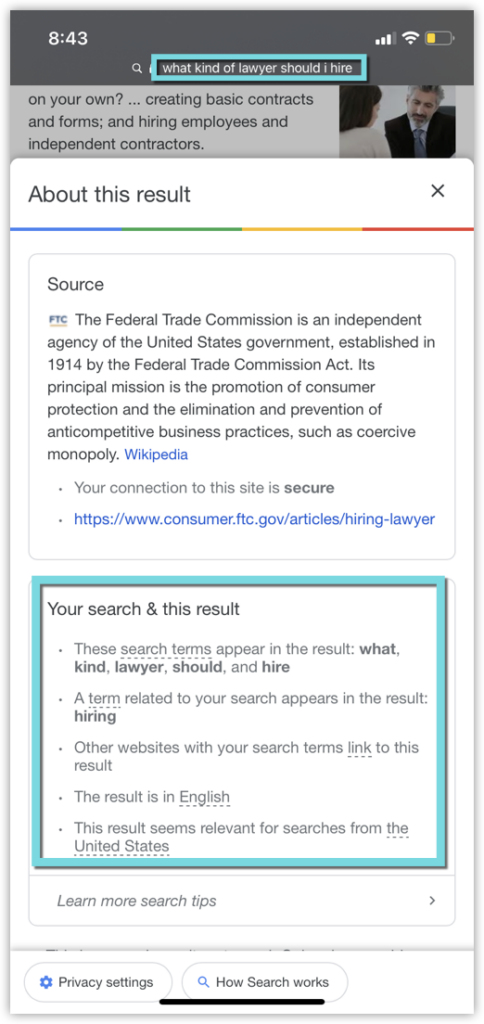
As you can see Google is providing the following information as to why this page ranks for the search term “what kind of lawyer should I hire”:
- Specific terms that were searched appear in the result
- Terms that are related to the search appear in the result
- Other websites with the search terms link to the result
- The result is in the same laguage
- The result is relevant to searches from the location of the searcher
In other words, in order to rank in Google for a specific search, it’s important that you:
- Use words that are specific to the search
- Use words that are related to the search
- Get links from websites that also use words related to the search
- Write in the same language as the search
- Use words that indicate that your result is relevant to the location of the searcher
The factors this feature shows aren’t actually fixed. Depending on the search, Google may show that the result has images related to your search, or that it was published or updated recently. The box may even note that your website’s domain name matches one or more of your search terms. For legal keywords where fresh information matters, that middle one is a big deal. Think breaking case law, updated fee structures, new court rulings. Google may be weighing how recent your page is as part of why it ranks, or doesn’t.
None of this is really new information. We know that in order to rank in Google you must produce content that is relevant to specific searches. We know you need to use keywords, related keywords, get links, and localize your information.
However, as SEOs we are always looking for confirmation from Google as to what factors they use to determine where a given page ought to rank for a given query. With this new “Your search & this result” feature, Google is offering transparency into why a certain result ranks for a certain query, and we are all about that.
Here’s how we’d actually use it. Pick a legal search you’re trying to show up for and look at the top three results. Open the “Your search & this result” box on each one. Note which factors Google credits on those pages: is it matching words, related words, links, location, how recent the page is, or images? Then pull the same box on your own page if it shows up anywhere in the Google results. The gaps between their list and yours are a decent first pass at what Google thinks is missing from your page, and it’s a pretty fun exercise to boot.
Have you seen examples of this feature for other legal keywords? We’d love to see what you found in the comments below!
And if you’re looking for help ranking your law firm for legal keywords in general, take a look at our legal SEO services. It’s what we do all day.